About Nintex K2 Workspace
K2 Workspace, a free app available to current K2 Cloud and K2 Five customers, provides users with access to the forms, workflow tasks and information they need to work efficiently and make informed decisions, no matter...
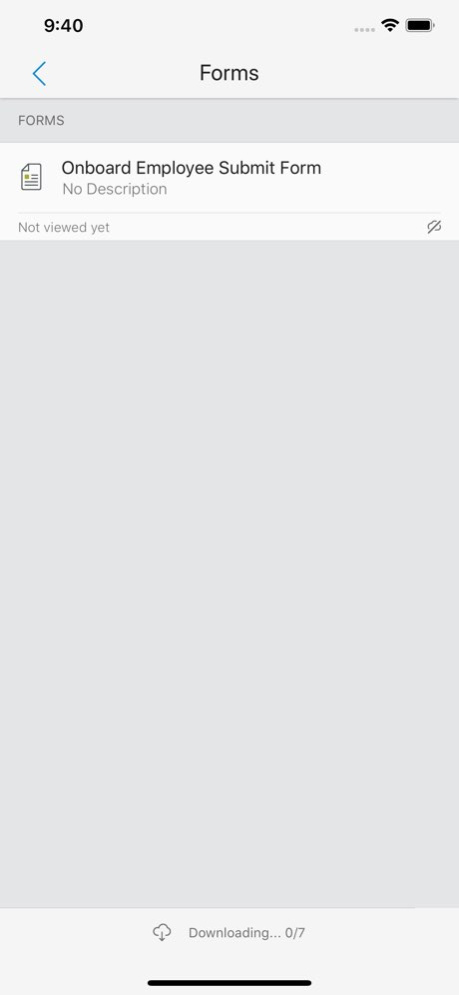
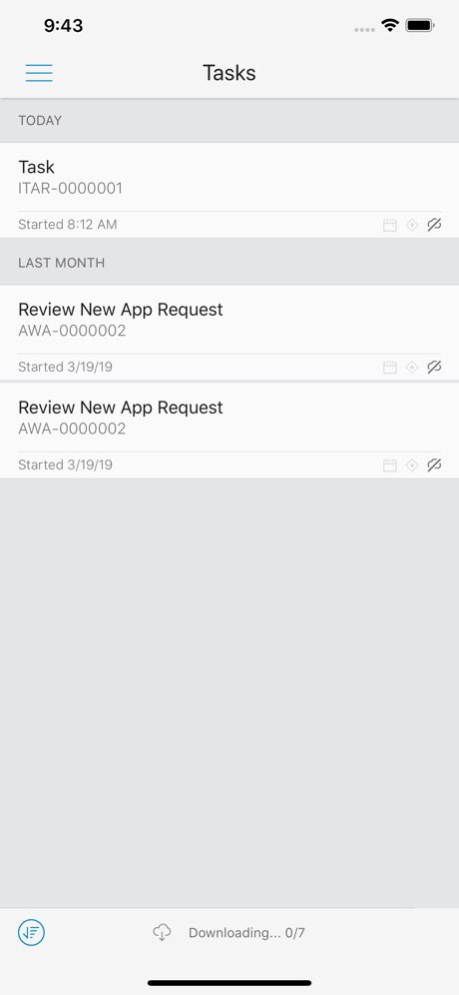
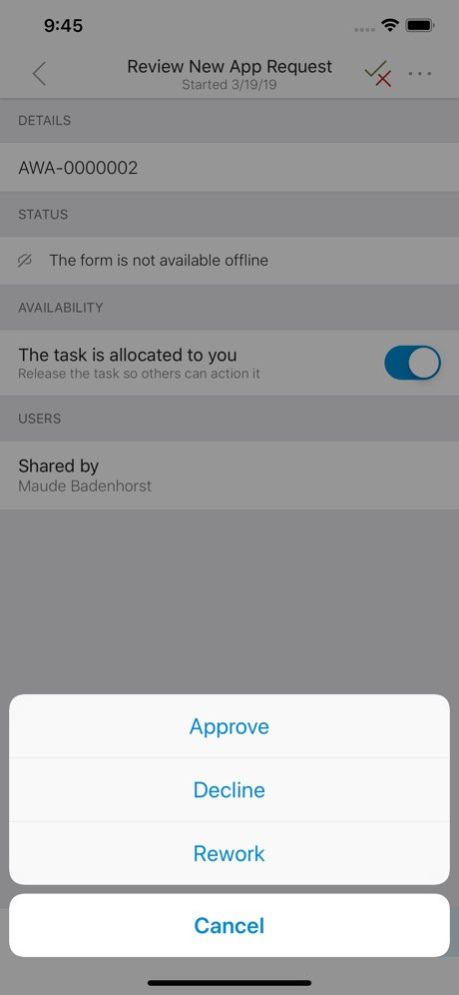
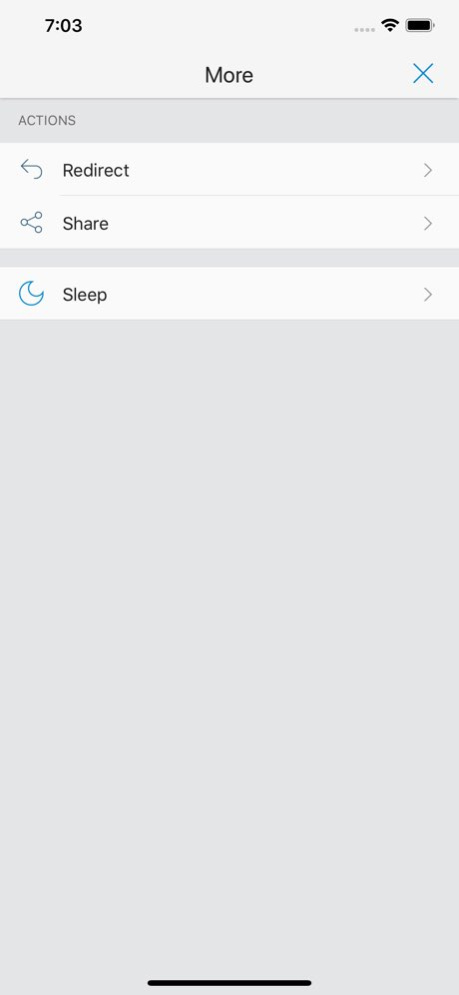
K2 Workspace, a free app available to current K2 Cloud and K2 Five customers, provides users with access to the forms, workflow tasks and information they need to work efficiently and make informed decisions, no matter where they are. K2 Workspace for iOS includes the following features: . A global task list that provides users with access to all their workflow tasks from a single interface. Tasks can be actioned quickly from within the app. Task list sync capabilities allow you to continue working on critical tasks, even if you’re offline. . Task scheduling options that allow you to manage your tasks based on a schedule that works for you. Postpone a task until sometime in the future, whether it’s tomorrow during your morning coffee, or next week after your big status meeting. . Task management capabilities, like redirect and share allow you to make decisions quickly, even when business needs change on the fly. Send tasks to a different user or ask for someone else’s input from a single interface. Access to form data and task status from within the mobile interface, giving you more visibility into everything you need to make better decisions.
Version History Fix for barcode camera orientation 2.3.16 Feb 3 The app has moved from K2 Apple account to Nintex apple account which will require users to sign into the app again. *NB, Please note any existing outbox and draft items need to be completed before updating to this version as the existing ones will be lost due to the app changing developer accounts. *K2 Workspace App have been updated with more up to date CocoaPod versions. *Bug fixes 2.3.15 12/18/2025 *K2 Workspace App have been updated with more up to date CocoaPod versions. *Bug fixes *K2/Nintex logo update 2.3.14 12/03/2024 *K2 Workspace App have been updated with more up to date CocoaPod versions. 2.3.13 01/18/2024 *K2 Workspace App problem where forms were not loading when switching between sub-categories and when using the Close Browser event on recent versions of iPad has now been fixed. 2.3.12 01/31/2023 * When a new Workflow Task is assigned to a user, the related Push Notification will now link directly to the Task. * Push Notifications are only available for K2 Cloud Releases. 2.3.11 07/15/2022 Allow 4.7 R5 Smartforms release to be accessible via the K2 Workspace App Fixed missing search bar on Task Redirect/Share option 2.3.10 02/28/2022 Fixed an issue where the a form would not close if opened from a deeplink. Fixed IOS 15 referer header (will allow Smartforms Drafts Save functionality in IOS 15+) Fixed Smartforms Barcode Scanner orientation. 2.3.9 02/21/2022 Users can now open web links added to custom Workspaces. 2.3.8 09/09/2021 * Fixed an issue where authentication would fail when Azure App Proxy is configured with pre-authentication. 2.3.7 12/15/2020 Performance and stability enhancements 2.3.6 11/24/2020 Improved diagnostic logging 2.3.5 11/02/2020 * Fixed an issue where you could not view a subform after actioning a task. * Improved logging. * Fixed an issue that prevented you from signing in with your Google account. 2.3.4 09/11/2020 Performance and stability enhancements 2.3.3 05/19/2020 Performance and stability enhancements 2.3.2 04/20/2020 Performance and stability enhancements 2.3.1 03/20/2020 Performance and stability enhancements, upgrade to WKWebView 2.3.0 02/21/2020 Performance and stability enhancements 2.2.14 12/12/2019 Performance and stability enhancements 2.2.13 11/29/2019 Performance and stability enhancements 2.2.12 11/15/2019 Performance and stability enhancements 2.2.11 10/30/2019 Performance and stability enhancements 2.2.10 10/17/2019 Performance and stability enhancements 2.2.9 10/07/2019 Performance and stability enhancements 2.2.8 09/19/2019 Performance and stability enhancements 2.2.7 09/09/2019
Previous Versions
Here you can find the changelog of Nintex K2 Workspace since it was posted on our website on 2023-09-05 23:51:59.
The latest version is 2.3.16 and it was updated on 2026-10-13 12:36:23. See below the changes in each version.
Nintex K2 Workspace version 2.3.16
Updated At: 2026-10-13
Changes: Version History Fix for barcode camera orientation 2.3.16 Feb 3 The app has moved from K2 Apple account to Nintex apple account which will require users to sign into the app again.
*NB, Please note any existing outbox and draft items need to be completed before updating to this version as the existing ones will be lost due to the app changing developer accounts.
*K2 Workspace App have been updated with more up to date CocoaPod versions.
*Bug fixes 2.3.15 12/18/2025 *K2 Workspace App have been updated with more up to date CocoaPod versions.
*Bug fixes
*K2/Nintex logo update 2.3.14 12/03/2024 *K2 Workspace App have been updated with more up to date CocoaPod versions. 2.3.13 01/18/2024 *K2 Workspace App problem where forms were not loading when switching between sub-categories and when using the Close Browser event on recent versions of iPad has now been fixed. 2.3.12 01/31/2023 * When a new Workflow Task is assigned to a user, the related Push Notification will now link directly to the Task.
* Push Notifications are only available for K2 Cloud Releases. 2.3.11 07/15/2022 Allow 4.7 R5 Smartforms release to be accessible via the K2 Workspace App
Fixed missing search bar on Task Redirect/Share option 2.3.10 02/28/2022 Fixed an issue where the a form would not close if opened from a deeplink.
Fixed IOS 15 referer header (will allow Smartforms Drafts Save functionality in IOS 15+)
Fixed Smartforms Barcode Scanner orientation. 2.3.9 02/21/2022 Users can now open web links added to custom Workspaces. 2.3.8 09/09/2021 * Fixed an issue where authentication would fail when Azure App Proxy is configured with pre-authentication. 2.3.7 12/15/2020 Performance and stability enhancements 2.3.6 11/24/2020 Improved diagnostic logging 2.3.5 11/02/2020 * Fixed an issue where you could not view a subform after actioning a task.
* Improved logging.
* Fixed an issue that prevented you from signing in with your Google account. 2.3.4 09/11/2020 Performance and stability enhancements 2.3.3 05/19/2020 Performance and stability enhancements 2.3.2 04/20/2020 Performance and stability enhancements 2.3.1 03/20/2020 Performance and stability enhancements, upgrade to WKWebView 2.3.0 02/21/2020 Performance and stability enhancements 2.2.14 12/12/2019 Performance and stability enhancements 2.2.13 11/29/2019 Performance and stability enhancements 2.2.12 11/15/2019 Performance and stability enhancements 2.2.11 10/30/2019 Performance and stability enhancements 2.2.10 10/17/2019 Performance and stability enhancements 2.2.9 10/07/2019 Performance and stability enhancements 2.2.8 09/19/2019 Performance and stability enhancements 2.2.7 09/09/2019
Nintex K2 Workspace version 2.3.16
Updated At: 2026-02-03
Changes: Fix for barcode camera orientation
Nintex K2 Workspace version 2.3.14
Updated At: 2024-12-03
Changes: Dec 3, 2024
Version 2.3.14
*K2 Workspace App have been updated with more up to date CocoaPod versions.
*Bug fixes
*K2/Nintex logo update
Nintex K2 Workspace version 2.3.13
Updated At: 2024-01-18
Changes: Jan 18, 2024
Version 2.3.13
*K2 Workspace App have been updated with more up to date CocoaPod versions.
Nintex K2 Workspace version 2.3.12
Updated At: 2023-01-31
Changes: Jan 31, 2023
Version 2.3.12
*K2 Workspace App problem where forms were not loading when switching between sub-categories and when using the Close Browser event on recent versions of iPad has now been fixed.
Disclaimer
Official App Store Link
We do not host Nintex K2 Workspace on our servers. We did not scan it for viruses, adware, spyware or other type of malware. This app is hosted by Apple and passed their terms and conditions to be listed there. We recommend caution when installing it.
The App Store link for Nintex K2 Workspace is provided to you by apps112.com without any warranties, representations or guarantees of any kind, so access it at your own risk.
If you have questions regarding this particular app contact the publisher directly. For questions about the functionalities of apps112.com contact us.